
How it works
The loop, screen by screen.
Rezell runs a flipping operation end to end — from a phone pointed at a dusty find to numbers you can stand behind. Four beats, in order.
01 · Log
Seconds, not spreadsheets.
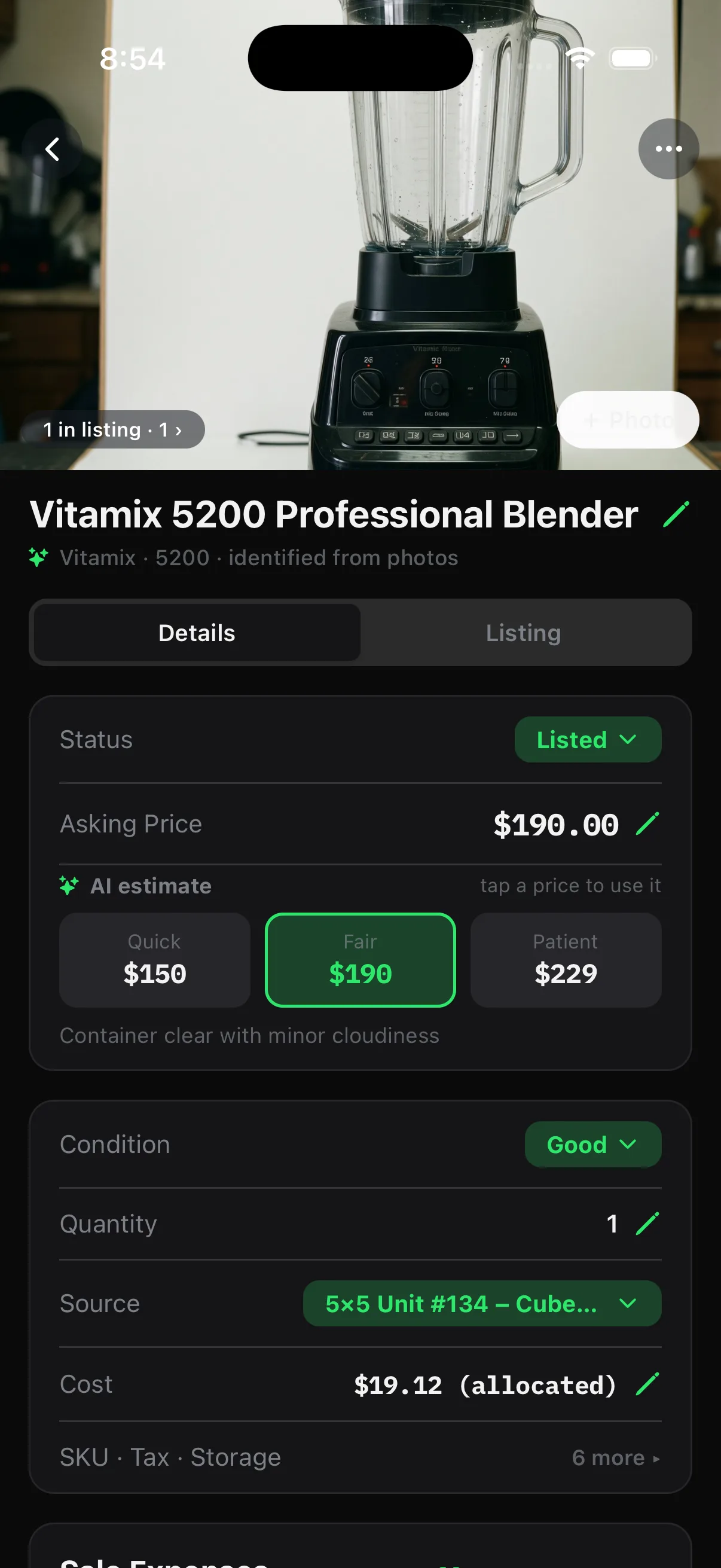
Point the camera at a find. Rezell identifies the item, drafts a price range from comps, and attaches its cost basis right there — before you've decided whether to buy.
It works with no signal, in the back of a storage unit or a dead-air basement, and the miles from the sourcing run get logged too.
02 · Manage
The pile becomes a pipeline.
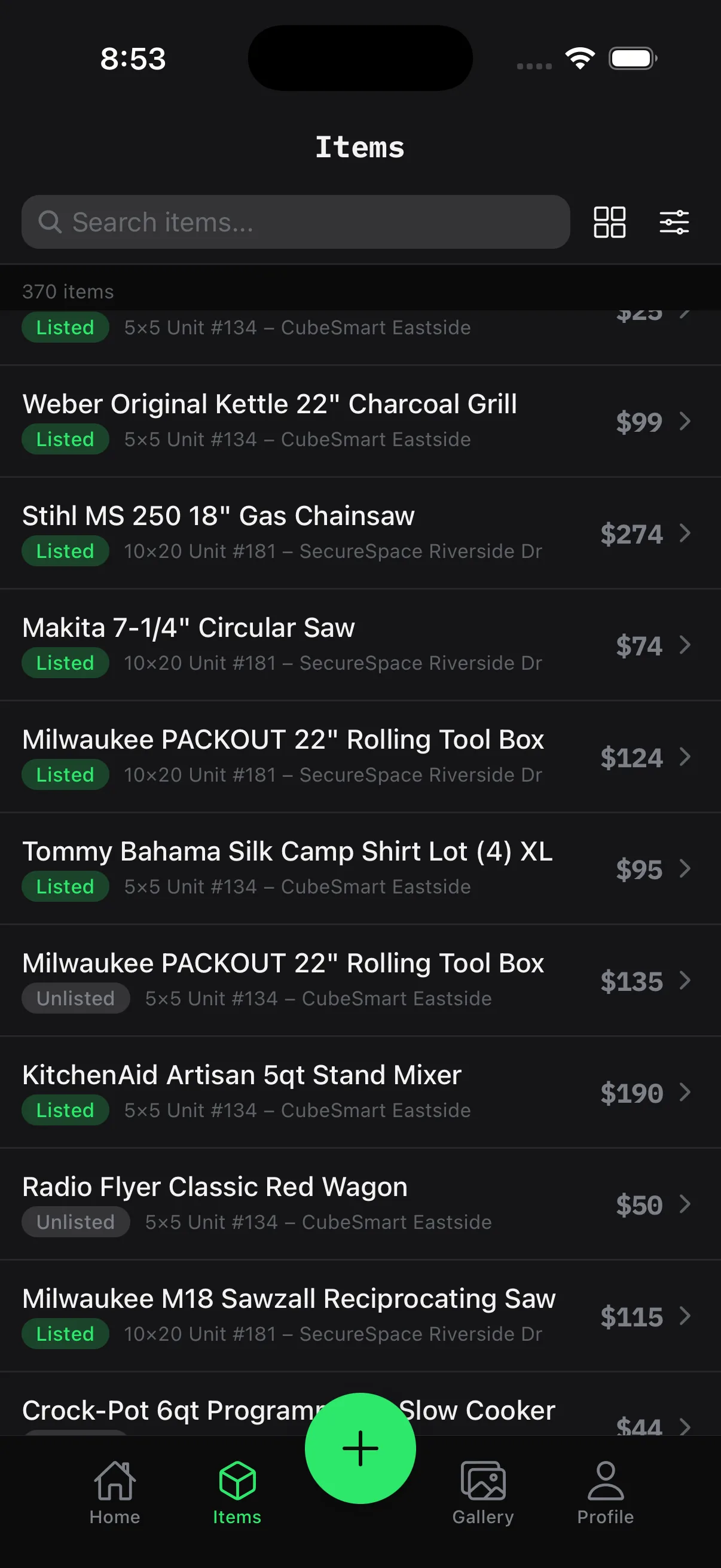
Every item moves through the same lanes: new, unlisted, listed, sold. See sell-through at a glance, and catch stock going cold before it turns into dead weight.
You always know what's on the shelves — and what it still owes you. This is where the board lives: signed net, honest Ws and Ls, streaks and season stats.
03 · Sell
Every channel counts, even cash.
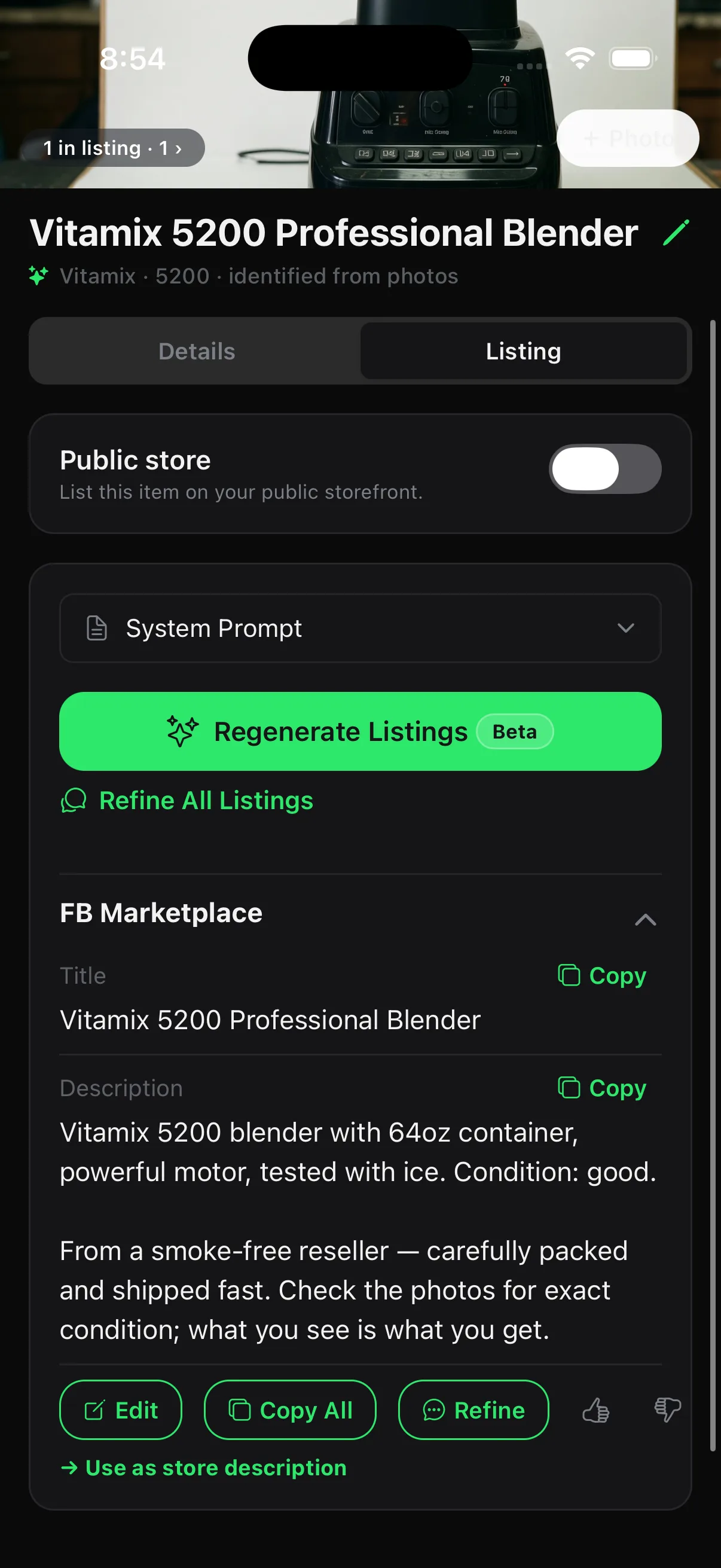
Sell wherever the item sells — eBay, Marketplace, Craigslist, a flea-market table, or cash in a parking lot. It all lands in one ledger.
So the board reflects the whole business, not just the platforms an importer can see. Logging a cash sale takes about five seconds.
04 · Report
Real numbers, all costs in.
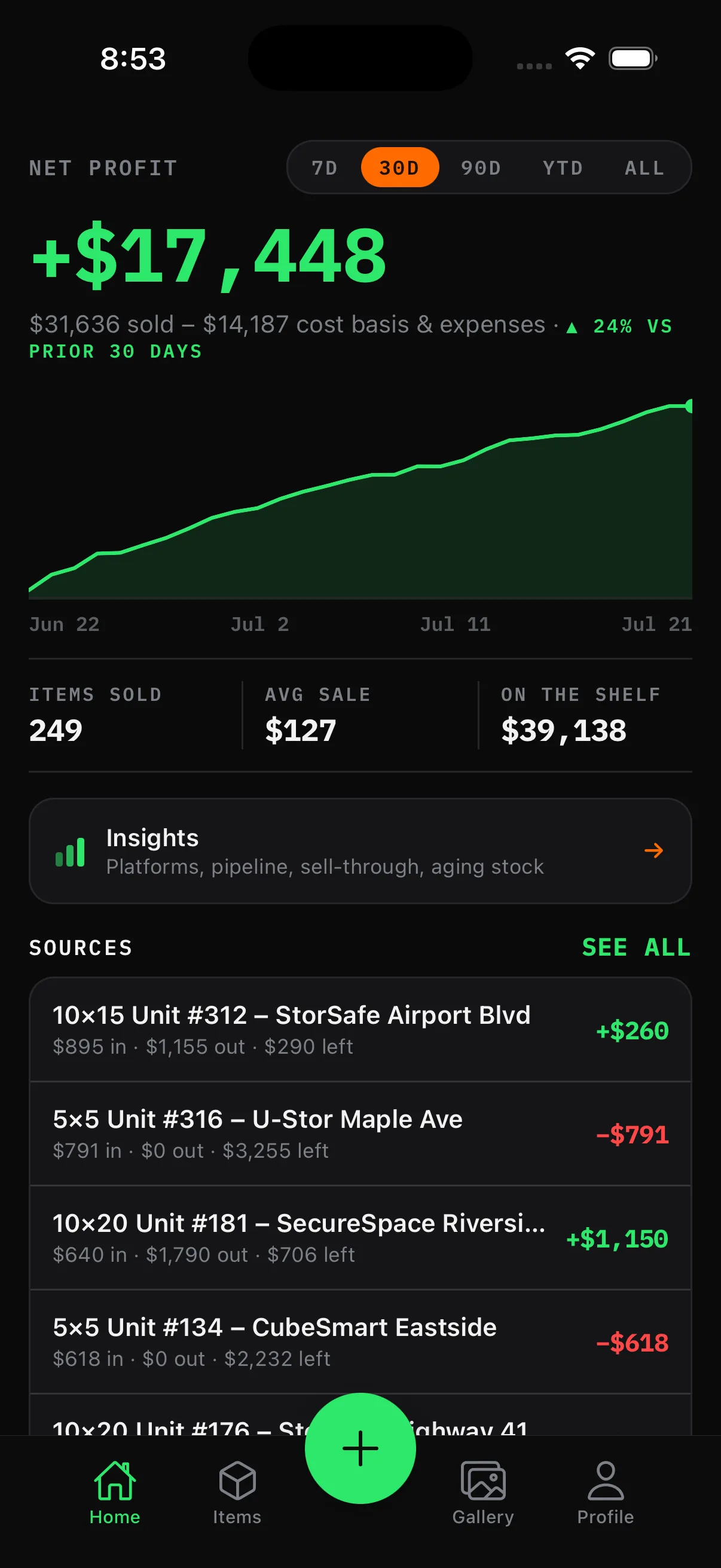
The report is net with nothing hidden: cost basis, fees, mileage, and expenses, all in. No number is doing quiet work behind the headline.
Drill into any flip and the whole story is there — what sold, where and when, for how much, and what it cost to sell. It's the full record, kept since the day you bought the thing.
Point it at the first thing in the pile.
The power-on takes two minutes. Everything after that is just flipping.
